MacBook Screen Repair Cost in Brisbane 2026
In 2026, MacBook screen replacement is not a one-price repair. A MacBook Air screen does not cost the same as a MacBook Pro screen, and a 13-inch display does not usually cost the same as a 14-inch or 16-inch premium MacBook Pro display.
At iRepair Experts Brisbane, we always recommend a proper diagnosis before quoting the repair. This helps confirm whether the issue is only the display, or whether there is also frame damage, hinge damage, backlight failure, liquid damage, or a logic board-related display issue.
From real repair experience, two MacBooks can look like they have the same “broken screen” problem but need different repairs. That is why we inspect the display, lid, hinge, cable area, and external damage before giving a final quote.
How Much Does MacBook Screen Repair Cost in Brisbane?
MacBook Screen Repair Price Guide
MacBook screen repair pricing can vary depending on the model and part type. Older MacBook Air models are usually more affordable to repair, while newer MacBook Pro models with larger and more advanced displays can cost more.
Guide Pricing
Model Dependent
Final pricing depends on MacBook model, screen size, display type, part quality, and damage level.
For an accurate quote, the MacBook needs to be checked first. This is especially important if the screen is cracked near the hinge, the lid is bent, or the display has no image after a drop.
What Affects MacBook Screen Repair Cost?
MacBook screen repair prices vary because Apple has used different display sizes, technologies, and lid assemblies across MacBook Air and MacBook Pro models. The part cost, labour, and repair process can change depending on the device.
Your MacBook Model
The exact model is one of the biggest price factors. A MacBook Air 13-inch screen is usually different from a MacBook Pro 14-inch or 16-inch screen. Newer models often use more expensive display assemblies.
Screen Size
Screen size matters. A 13-inch MacBook display, 14-inch MacBook Pro display, 15-inch MacBook Air display, and 16-inch MacBook Pro display can all have different part costs and repair requirements.
Display Technology
Newer MacBook Pro models use more advanced display technology than many older models. High-resolution panels, better brightness, thinner assemblies, and premium display layers usually increase the repair cost.
Damage Level
A simple cracked display is different from a MacBook with a bent lid, damaged hinge, liquid damage, or no display output. The more damage there is around the screen assembly, the more carefully the repair needs to be handled.
Part Quality and Availability
The quality of the replacement display matters. A better-quality screen assembly usually gives a cleaner finish, better brightness, accurate colour, and a more reliable result after repair.
Common MacBook Screen Problems We Repair
Not every broken MacBook screen looks the same. Some customers come in with cracked glass, while others have no visible crack but the display is showing lines, flickering, or black patches.
Signs Your MacBook Screen Needs Repair
Cracked MacBook Screen
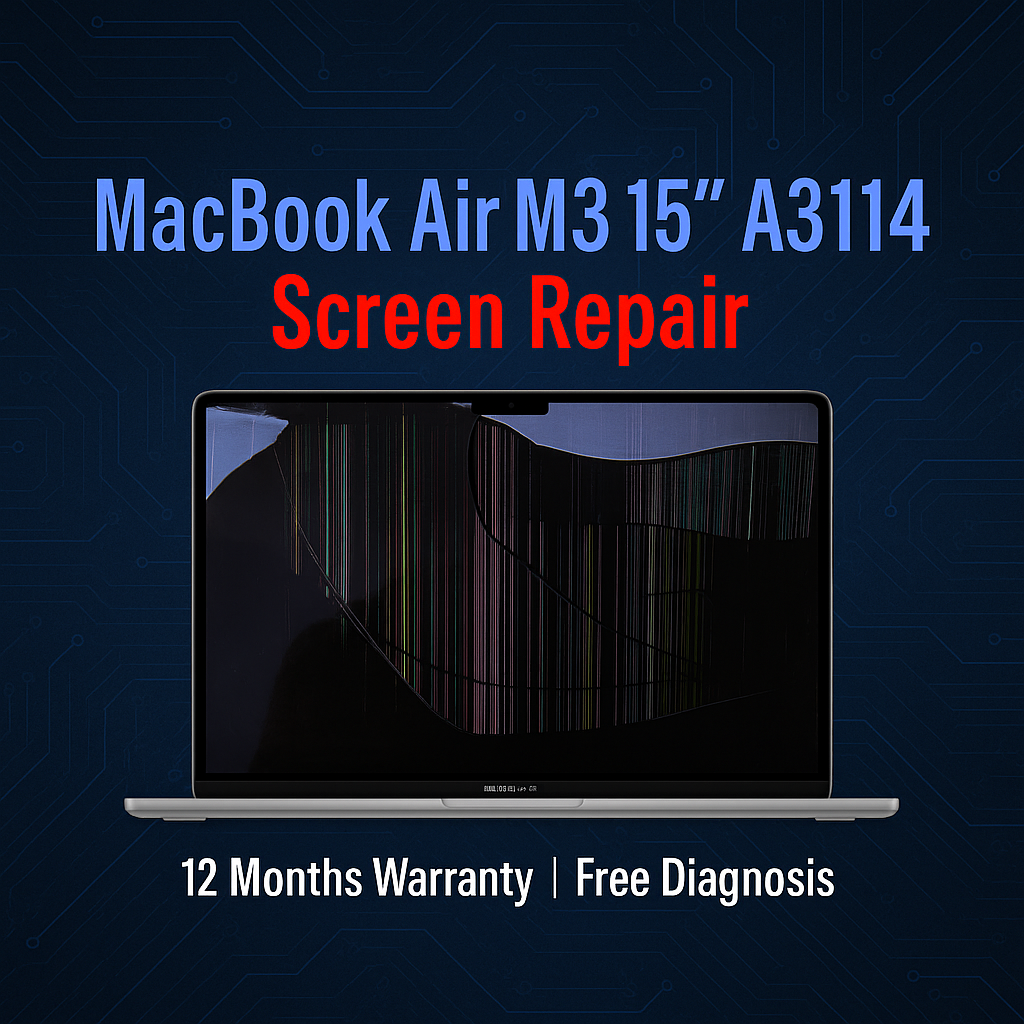
This is the most obvious issue. A cracked MacBook display can spread over time, especially if the laptop is opened and closed regularly or carried in a tight bag.
Lines on the Display
Vertical or horizontal lines can appear after pressure, impact, or internal panel damage. If the lines stay visible after restart, the screen assembly often needs replacement.
Black Spots or Ink Marks
Black patches, ink-like marks, or bleeding on the display usually mean the internal panel has been damaged. This is common after pressure damage or when something is closed inside the laptop.
Flickering Screen
A flickering MacBook screen can be caused by a display fault, cable issue, or board-level problem. Diagnosis is important because not every flicker is solved by replacing the screen.
No Display but MacBook Turns On
If the MacBook powers on but the screen stays black, the problem may be the display assembly, backlight, display cable, or logic board. Testing is needed before quoting the repair.
Broken Hinge or Bent Lid
If the lid is bent or the hinge feels stiff after a drop, the screen may not sit correctly. The hinge and frame should be checked before fitting a replacement display.
Why MacBook Screens Break So Easily
MacBooks are thin, light, and carefully built, but the display assembly is still delicate. Many screen failures happen from pressure rather than a heavy drop.
In our repair shop, we often see MacBook screens damaged by small everyday situations: a charger plug left near the keyboard, a pen or earbud closed inside the laptop, a tight backpack, pressure on the lid, or a small knock near the corner of the screen.
A MacBook screen can crack even when the outside lid does not look badly damaged. If the display has black marks, lines, or a bright patch, there may be internal panel damage underneath the glass.
MacBook Air vs MacBook Pro Screen Repair
MacBook Air and MacBook Pro screen repairs can be very different. A MacBook Air is usually thinner and lighter, while a MacBook Pro may have a more advanced display, especially in newer 14-inch and 16-inch models.
MacBook Air Screen Repair
MacBook Air screen repair is common for cracked displays, pressure marks, lines, and no-display faults. Pricing depends on whether it is an older Intel MacBook Air, M1 MacBook Air, M2 MacBook Air, M3 MacBook Air, or newer model.
Because MacBook Air models are slim, it is important to check the lid and hinge area before repair.
MacBook Pro Screen Repair
MacBook Pro screen repair can cost more, especially for newer models with advanced display technology and larger 14-inch or 16-inch screens. These displays are premium parts, so the part cost is usually higher than many MacBook Air screens.
If your MacBook Pro has display lines, black patches, flickering, or impact damage near the hinge, it should be inspected before repair.
Is It Worth Repairing a MacBook Screen?
In many cases, yes. If your MacBook still turns on, charges properly, runs well, and the only major issue is the damaged screen, repair can be much more affordable than replacing the whole laptop.
Screen repair is usually worth considering if:
- The MacBook is still fast enough for your work or study
- The battery and keyboard are still working well
- The logic board has no major fault
- Your files and setup are important
- The repair cost is much lower than buying a replacement MacBook
- The MacBook is an M1, M2, M3, M4, or newer Apple Silicon model
If the MacBook is very old, has liquid damage, a failing battery, a damaged keyboard, and a broken screen at the same time, replacing the device may sometimes make more sense. That is why an honest diagnosis matters.
What We Check Before Replacing a MacBook Screen
At iRepair Experts Brisbane, we do not replace the display blindly. A cracked MacBook screen can be simple, but it can also hide hinge damage, frame damage, display cable issues, or logic board faults.
Our Diagnosis Process
Can a MacBook Screen Be Fixed Without Replacing It?
Sometimes customers ask if display lines, black spots, or flickering can be fixed without replacing the screen. The answer depends on the cause.
If the issue is caused by software, settings, or an external display configuration, replacement may not be needed. But if the MacBook has a cracked panel, black bleeding, pressure marks, or permanent display lines after impact, the screen assembly usually needs replacing.
Before You Book a Screen Repair
If your MacBook still works, back up your important files before repair. A normal screen replacement should not erase your data, but a backup is always the safest option before any hardware service.
If the screen is black, try connecting the MacBook to an external monitor. If the external display works, the issue is more likely related to the internal screen assembly, backlight, cable, or display path.
How to Protect Your MacBook Screen After Repair
After screen replacement, it is worth changing a few habits to avoid another display repair. MacBook screens can be damaged by surprisingly small objects or pressure.
- Do not close the lid with anything on the keyboard
- Avoid keyboard covers that are too thick
- Do not carry the MacBook in an overpacked bag
- Use a padded laptop sleeve when travelling
- Do not press hard on the back of the display lid
- Keep chargers, pens, earbuds, and cables away before closing the laptop
- Open and close the screen gently from the centre
MacBook Screen Repair Brisbane
If your MacBook screen is cracked, flickering, showing lines, or no longer displaying properly, bring it in for a proper inspection. At iRepair Experts Brisbane, we provide clear advice before repair so you know whether screen replacement is the right option.
We repair many MacBook Air and MacBook Pro display issues, including cracked screens, black display, screen lines, flickering, pressure damage, and screen assembly faults, depending on model and parts availability.
Book a Brisbane repair in under 60 seconds.
Same-day service, genuine-grade parts, 12-month warranty. Walk-ins welcome at Paddington · Coorparoo · Calamvale.
Book a repair