The short answer? Google upgraded the Pixel 9 Pro to use an ultrasonic fingerprint sensor. Because this new sensor doesn't rely on light refraction like the older models, the old optical software calibration tool isn't just unnecessary—it actually won't even work.
The Old Way: Why Optical Sensors Needed Calibration
Google added the in-display fingerprint sensor with the Pixel 6 back in 2021. These older displays used optical fingerprint scanners. Essentially, there was a tiny camera looking up through the screen glass to take a picture of your fingerprint.
When a new screen was installed, the thickness and light transmission of the new glass were always slightly different from the original. The sensor had to be optically recalibrated using Google's software so it could "relearn" how to see through the new glass.
The Pixel 9 Pro Upgrade: Ultrasonic Technology
The Pixel 9 Pro ditches the optical camera and uses an ultrasonic fingerprint sensor. Instead of taking a photo with light, it pings high-frequency sound waves off your finger to create a 3D topographic map of your prints.
What Happens if You Try the Tool?
If you try to use the official Google Pixel Update and Software Repair tool out of habit, you will hit a wall. If you navigate to the calibration section, the software will block you with an error message: "This is not a compatible device. Only Pixel 6, 6 Pro, 6a, 7, 7 Pro, 7a, 8, 8 Pro, 8a, 9a".
How to Get Your Fingerprint Working After a Screen Swap
Just because you don't need the software calibration tool doesn't mean the fingerprint sensor will instantly work perfectly on the first boot. If your sensor is unresponsive after a repair, here is how to fix it.
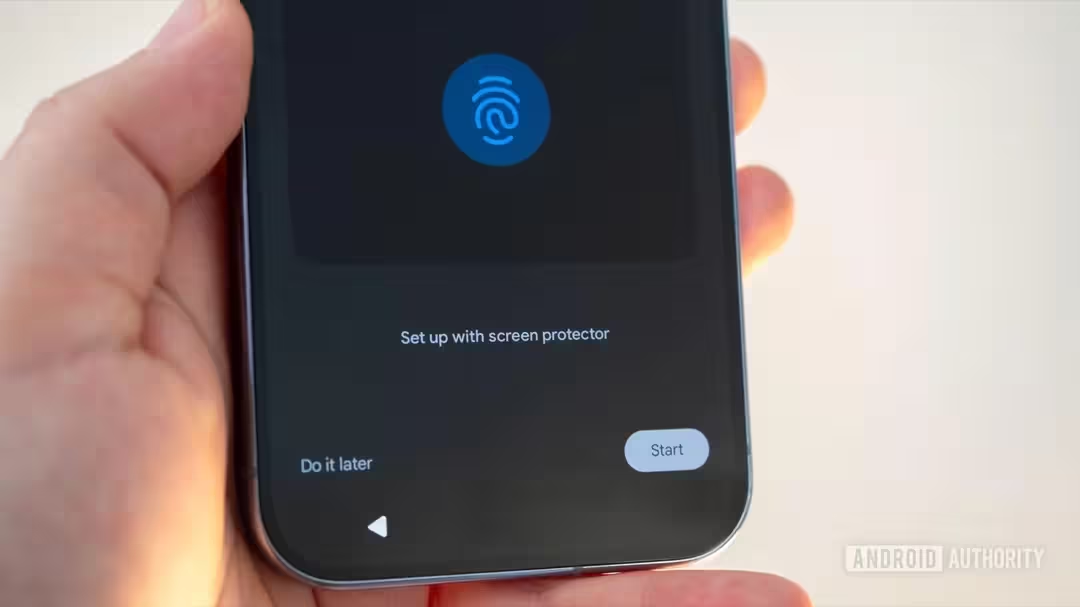
- Re-Register Your Fingerprints: Because the new screen has different physical properties, you should always delete your old fingerprint profiles and enroll fresh ones.
- Check the Hardware Transfer: For a successful repair, you either need a new display assembly that includes the pre-installed frame and fingerprint sensor scanner, or you must properly transfer your original fingerprint flex cable over without pinching or tearing it.
- Enhance Touch Sensitivity: If you installed a tempered glass screen protector after the repair, the sensor might struggle. Go into your settings and adjust the touch sensitivity to enhance the sensor's functionality through the protective glass.
- Ensure Perfect Cleanliness: Ultrasonic sensors are incredibly sensitive to moisture, sweat, and natural skin oils. Make sure the screen is perfectly clean before re-enrolling your prints.
The Final Verdict
Replacing the screen on a Google Pixel 9 Pro is a much smoother software experience than previous generations. By swapping the optical sensor for an ultrasonic one, Google has eliminated the need for tedious computer-based calibration tools. As long as the hardware flex cable is transferred safely and correctly, a simple re-enrollment of your fingerprints should have you back in business.
If you're dealing with a shattered screen or need help getting your biometrics working perfectly again, check out our comprehensive Google Pixel Repair services to see how we can help restore your phone to factory standards.
Book a Brisbane repair in under 60 seconds.
Same-day service, genuine-grade parts, 12-month warranty. Walk-ins welcome at Paddington · Coorparoo · Calamvale.
Book a repair